
How to add WEALTH WITHIN
as a preferred source
on Google
Add us to your trusted websites, and you’ll see our content more often.

Make sure you don’t miss out on our trusted insights into the stock market and trending stocks every week.
By adding WEALTH WITHIN as a ‘preferred source’ in your Google settings, you’re more likely to see our articles near the top of Google search. Be in the know next time we release our Hot Stock Tips or Australian Stock Market Show or other content designed to support you take control of your investments, so you profit more.
Add us to source preferences
The easiest way to add us as a trusted source is by using our direct link: add WEALTH WITHIN as a preferred source.
You’ll see your Source preferences, with wealthwithin.com.au listed. Tick the box to the right of the URL, to add us as a preferred source.
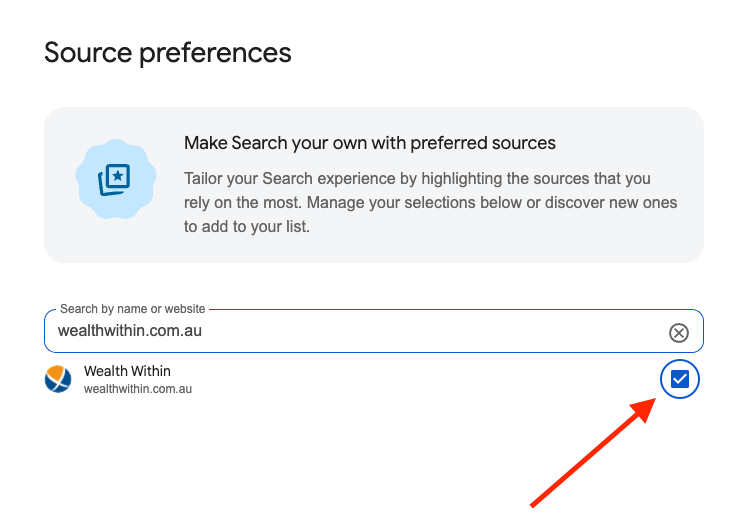
You can also search for other media outlets, and add them.
If you’re not logged in to Google or Gmail account, you’ll be prompted to sign up or log in first.
Once you’ve added us, you’ll start to see WEALTH WITHIN articles appearing more frequently in your Top Stories (or in a dedicated “From your sources” section on the search results page).